← Year 3 computing worksheets

Year 3 Events and actions in programs worksheet

“Making a sprite move” is free to print, with no account. It is the first sheet in the Year 3 computing unit “Events and actions in programs”, for children aged 7 to 8, and takes about 20 minutes.

Print it on A4. The child's pages come first; the answers, and what each wrong answer tells you, are on the grown-up page that follows. Weeks 31 to 36 of the year, 6 sheets in the unit.

Free sample · answers on the last page

Making a sprite move

Name: ____________ · Date: ____________
Year 3 · Computing · about 20 minutes
Answers are on the grown-up page

Today I can explain that a sprite needs code to move, and choose sensible keys.

A Look back3 min

  1. 1.

    A robot starts on the top-left square. It moves right, right, then down. Which square is it on now? Squares are written as (across, down). Circle one.

    (2, 1)(1, 2)(2, 0)(0, 2)
  2. 2.

    The robot starts at (0, 1). It moves right 3 times. What is its across number now?

  3. 3.

    What is an algorithm? Circle one.

    StartMove rightStop
    A set of steps to follow in orderA picture of a computerA kind of screen

B Watch me, then you4 min

Ali's crab is on a beach. Ali presses the right arrow key, but the crab does not move. Why?

A cartoon crab on a sandy beach on a computer screen
Watch me
right arrowpressedmove 10steps

The event block waits for the right arrow key.

The motion block tells the crab what to do: move 10 steps.

Press the key and the crab moves right. Without these blocks, it stays still.

Now you
  1. 1.

    A sprite has a move block but no event block. You press the right arrow. What happens? Circle one.

    No eventblockmove 10steps
    It moves 10 steps rightNothing happensIt turns around
  2. 2.

    Kit's sprite needs to move towards the top of the stage. Which event block uses the most sensible key? Circle one.

    move 10steps
    when up arrow key pressedwhen space key pressedwhen this sprite clicked

C Your turn8 min

Each robot needs one arrow key to reach its star. Read where the star sits, then choose the key.

  1. 1.

    The robot must reach the star in one press. Which key moves it there? Circle one.

    right arrow keyleft arrow keyup arrow keydown arrow key
  2. 2.

    The robot must reach the star in one press. Which key moves it there? Circle one.

    right arrow keyleft arrow keyup arrow keydown arrow key
  3. 3.

    The robot must reach the star in one press. Which key moves it there? Circle one.

    right arrow keyleft arrow keyup arrow keydown arrow key
  4. 4.

    The robot must reach the star in one press. Which key moves it there? Circle one.

    right arrow keyleft arrow keyup arrow keydown arrow key

Say it out loud: Where was the star each time, and what changed from one row to the next?

D Spot the mistake3 min
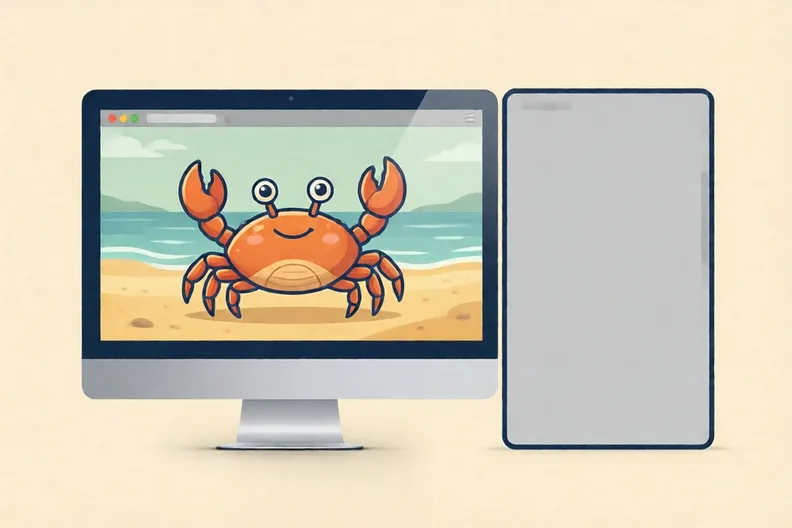
A cartoon crab on a beach on a screen, with an empty panel beside it
Sam says: “My crab has no code at all, but it still moves when I press the right arrow key.”
  1. 1.

    Why is Sam wrong? Write one sentence.

E Think deeper4 min

  1. 1.

    A game needs its sprite to move right, left, up and down. Which four keys would you choose, and why do they make sense?

    NNEESESSWWNW

How did it feel?

Did the crab move the way you expected? Tell your grown-up one thing you noticed.

I can do it Nearly Not yet
StudyDen · Year 3 · Computing · Events and actions in programsAnswers are on the grown-up page

For the grown-up

Making a sprite move · 2 minutes to read

Answers, and what a wrong one tells you

A

1. (2, 1) If your child wrote (1, 2), they swapped across and down. If they wrote (2, 0), they forgot the down move. Say: across first, then down.

2. 3 If your child wrote 1, they moved only once. Each move right adds one to the across number.

3. A set of steps to follow in order If your child picked a picture, they are mixing up the word. An algorithm is a list of steps, like a recipe, done in order.

B

1. Nothing happens If your child chose that it moves 10 steps right, they think the key press alone moves it. Ask: what starts the move block running?

2. when up arrow key pressed If your child chose the sprite clicked block, that starts on a mouse click, not a key. Ask which block waits for the up arrow.

C

1. right arrow key If your child chose left, they may have mixed up the star's side. Ask: is the star to the right of the robot?

2. left arrow key

3. up arrow key If your child chose down, they may have read the top of the grid as the bottom. The top row is row 0 here.

4. down arrow key

D

1. Look for: Says the sprite has no code, so no event or motion block runs and it cannot move. If your child says the key is broken, ask which block is connected to the key press. With no blocks, nothing is connected.

E

1. Look for: Names four keys, one for each direction, such as the arrow keys or W, A, S and D. Gives a reason, such as each arrow points the way the sprite moves.

Words to use

Say“Where is the star, and which key takes the robot there?”
Instead of“Tell them the answer straight away.”

After the sheet

Draw a 3 by 3 grid on paper and put a coin in the middle square. Take turns calling right, left, up or down, and move the coin one square each time.

Tick what your child got right in StudyDen. Anything missed comes back in a later Look back box, so there's no need to redo the sheet.

The rest of this unit

5 more sheets come with a StudyDen plan, in teaching order:

  1. Routes Through a Maze(with a plan)
  2. Pen tool and block order(with a plan)
  3. Adding features to a drawing(with a plan)
  4. Finding and fixing bugs(with a plan)
  5. Plan, test and fix(with a plan)

Every Year 3 computing worksheet

The worksheets plan opens a printable sheet for every lesson in Years 1 to 6, each with its answers on a separate page for you. It costs £6.99 a month or £59 a year for the whole family, with no free trial.

The full StudyDen plan adds the lessons themselves, marked as your child works, with the worksheets included. It is 7 days free, then £29.99 a month.

Both start with a free account; you choose the plan when you sign up.