Changing digital images
Today I can explain what editing a digital image means and name three tools for it.
A Look back3 min
- 1.
The robot starts at the top left. How many squares must it move right to reach the star?
- 2.
Look at the steps. Circle the step that goes in the last empty box.
Tap the photoRotate itSave a copyPrint the table - 3.
Circle the arrows that take the robot from the top left to the star without touching a rock.
↓ ↓→ ↓ ↓ ←→ → ↓ ↓
B Watch me, then you4 min
Ola's photo of her dog came out sideways. Here is how she fixes it.
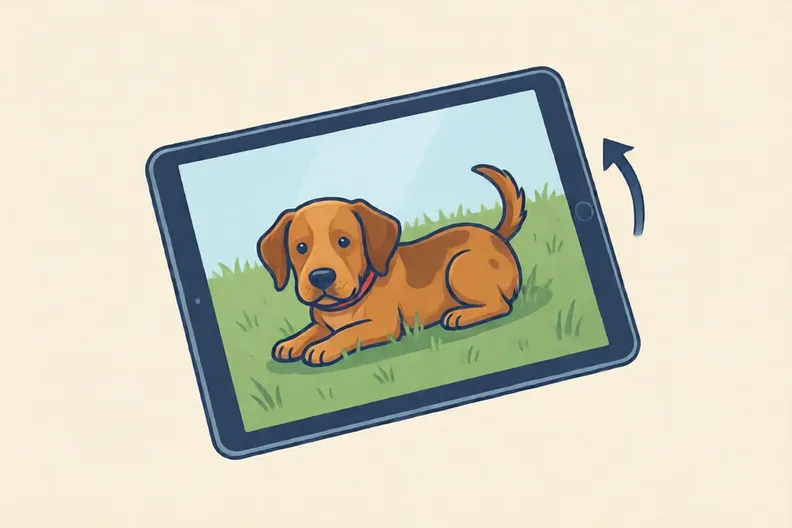
The photo is sideways.
Rotate turns the image around a central point.
Now the dog is the right way up.
- 1.
Mia's photo has a bus at the far edge. She wants only the park. Circle the tool she should use.
rotatecroprecolour
C Your turn6 min
Read each photo problem. Circle the tool, or number the steps.
- 1.
A photo is upside down. Which tool turns it the right way up? Circle it.
rotatecroprecolour - 2.
A photo has too much sky at the top. Which tool removes the sky? Circle it.
rotatecroprecolour - 3.
Sam wants his holiday photo in black and white. Which tool should he use? Circle it.
rotatecroprecolour - 4.
Number these steps from 1 to 4 to crop a photo, first to last.
- Save a copy of the cropped photo
- Open the photo
- Drag the edges inwards
- Choose crop
Say it out loud: What changed in each photo, and what did the tool do to it?
D Spot the mistake3 min
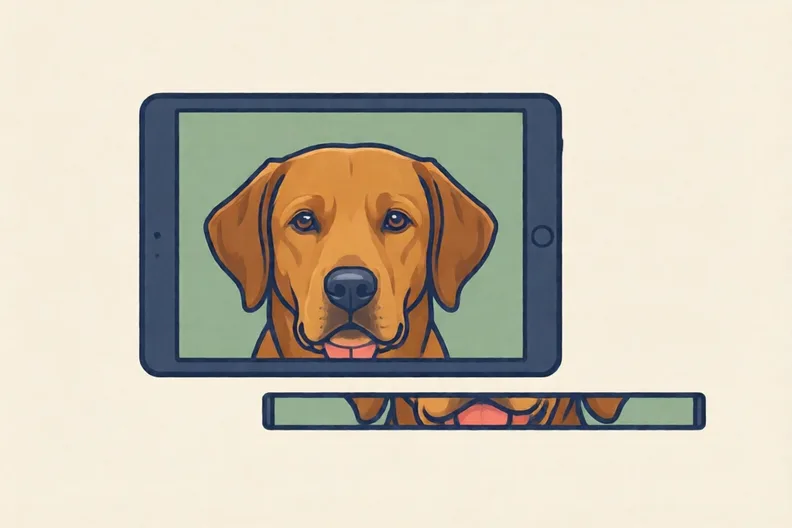
- 1.
The strip beside the tablet was cut from this photo. Why is Ali wrong? Write one sentence.
E Think deeper4 min
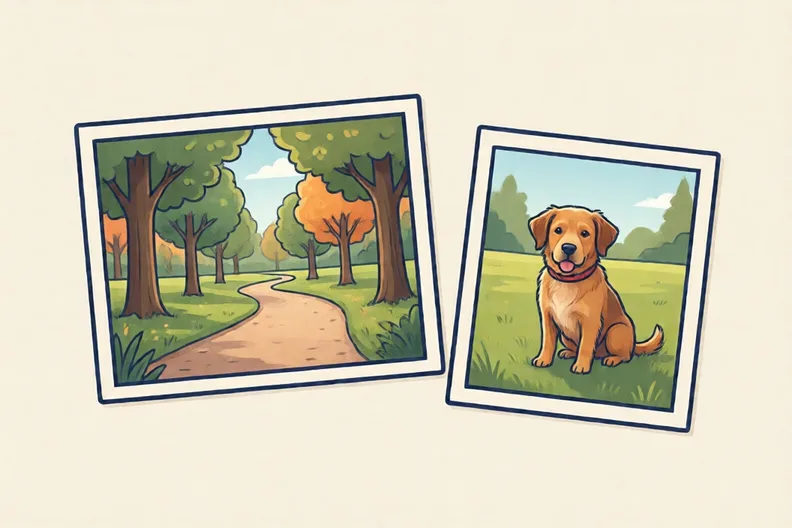
- 1.
One photo shows a small dog in a wide park with trees and a path. The other is cropped to show only the dog. Which one makes the dog look more important? Explain how cropping changes this.