← Year 4 design and technology worksheets

Year 4 Simple programming and control: data loggers worksheet

“Planning a Data Logger Case” is free to print, with no account. It is the first sheet in the Year 4 design and technology unit “Simple programming and control: data loggers”, for children aged 8 to 9, and takes about 22 minutes.

Print it on A4. The child's pages come first; the answers, and what each wrong answer tells you, are on the grown-up page that follows. Weeks 9 to 16 of the year, 8 sheets in the unit.

Free sample · answers on the last page

Planning a Data Logger Case

Name: ____________ · Date: ____________
Year 4 · Design & technology · about 22 minutes
Answers are on the grown-up page

Today I can plan a case for a data logger, with labels that explain how it meets the rules.

A Look back3 min

  1. 1.

    On a lever, what does the pivot do? Circle one.

    pivot
    It stays fixed and the lever turns on itIt moves along the leverIt adds weight to the lever
  2. 2.

    A wheel and axle are joined. When the wheel turns, does the axle turn too? Circle one.

    axle
    yesno
  3. 3.

    Which shape makes a frame stiffer, a square or a triangle? Circle one.

    squaretriangle

B Watch me, then you4 min

Ola is designing a case for a data logger. Her sketch needs labels that answer clear questions. Here is her plan.

Watch me
Sketch two ideasAdd labelsCircle the best

First, sketch two different case designs.

Second, add labels that answer a question, such as where the cable goes.

Last, circle the best design and say why in one sentence.

Now you
  1. 1.

    The middle step is hidden. Circle the step that goes there.

    Sketch two ideasCircle the best
    Add labelsCut out the cardTest the micro:bit
  2. 2.

    Write one label that answers: How can you still see the lights on the micro:bit?

C Your turn8 min

A data logger case must meet three rules. You can press the buttons, the cable can reach the micro:bit, and the battery pack stays in. Read each question, then choose or write the label that answers it.

  1. 1.

    Which label answers: How can you still press the buttons? Circle one.

    Cover the buttons with thick tapeCut a window over each buttonGlue the buttons flat to the card
  2. 2.

    Which label answers: Where does the data cable go? Circle one.

    Leave it loose inside the lidCut a gap in one short side for the cableHide the cable under the base
  3. 3.

    Which label answers: How will the battery pack stay in? Circle one.

    Make the case as big as possibleLeave it loose on the tableAdd a snug card slot or a strip of tape
  4. 4.

    Draw a quick sketch of a micro:bit case on spare paper. Then write one label for it that says how it meets one rule.

Say it out loud: What changed from one row to the next, and what stayed the same?

D Spot the mistake3 min

Kit says: “A tally chart can only be made on paper, so a data logger cannot count.”
Red carsVans
  1. 1.

    How could a data logger record these red cars? Write one sentence.

E Think deeper4 min
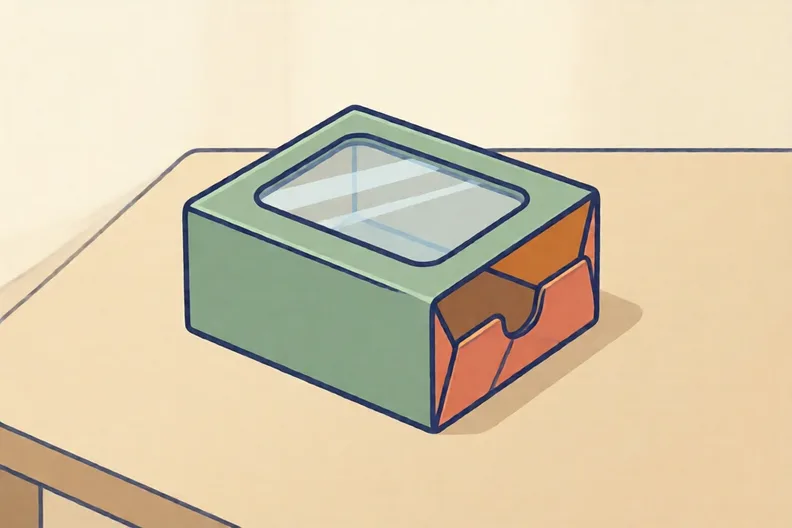
A small card box with a clear window in its lid, on a kitchen table
  1. 1.

    Name two rules a micro:bit case must meet. Explain how your sketch meets each one.

How did it feel?

I can do it Nearly Not yet
StudyDen · Year 4 · Design & technology · Simple programming and control: data loggersAnswers are on the grown-up page

For the grown-up

Planning a Data Logger Case · 2 minutes to read

Answers, and what a wrong one tells you

A

1. It stays fixed and the lever turns on it If they circle the weight, ask them where the lever turns. The pivot is the fixed point it turns on.

2. yes If they say no, ask them to turn a lolly stick axle and watch the wheel move with it.

3. triangle A square frame can lean over when pushed. Ask them to push one corner and see how the shape changes.

B

1. Add labels If they circle cutting, remind them that sketching and labelling come before any making. Ask what the labels are for.

2. Look for: A label saying a window, hole or clear panel sits over the lights so they can be seen.

C

1. Cut a window over each button If they circle the tape, ask whether a finger can reach a button through tape.

2. Cut a gap in one short side for the cable If they circle the hidden cable, ask how the cable would then reach the socket on the micro:bit.

3. Add a snug card slot or a strip of tape A big case lets the pack slide about. Ask them what would hold the pack still inside.

4. Look for: A label that names one rule, such as keeping the battery in or leaving a cable gap, and says how the design meets it. If the label only names a part, ask them what that part does for the rule.

D

1. Look for: It counts each item electronically and stores the total, so no paper is needed. If they say it must be written on paper, ask what the micro:bit does with each press of a button.

E

1. Look for: Two rules from the specification, each with a feature of the sketch that meets it.

Words to use

Say“Point to the label. Which rule does it show, and where on the sketch can you see it?”
Instead of“That is a nice drawing. Just make it neater next time.”

After the sheet

Draw a shoebox with a pencil, then add two labels to its lid and one side, using a ruler for straight lines. A grown-up cuts any holes with scissors.

Tick what your child got right in StudyDen. Anything missed comes back in a later Look back box, so there's no need to redo the sheet.

The rest of this unit

7 more sheets come with a StudyDen plan, in teaching order:

  1. Programming a micro:bit(with a plan)
  2. Inputs and outputs(with a plan)
  3. Counting with variables(with a plan)
  4. Ada and her instructions(with a plan)
  5. Build a Data Logger Case(with a plan)
  6. Staying Safe With Circuits(with a plan)
  7. Testing and reading traffic counts(with a plan)

Every Year 4 design and technology worksheet

The worksheets plan opens a printable sheet for every lesson in Years 1 to 6, each with its answers on a separate page for you. It costs £6.99 a month or £59 a year for the whole family, with no free trial.

The full StudyDen plan adds the lessons themselves, marked as your child works, with the worksheets included. It is 7 days free, then £29.99 a month.

Both start with a free account; you choose the plan when you sign up.