← Year 6 computing worksheets

Year 6 3D Modelling worksheet

“Flat or solid?” is free to print, with no account. It is the first sheet in the Year 6 computing unit “3D Modelling”, for children aged 10 to 11, and takes about 20 minutes.

Print it on A4. The child's pages come first; the answers, and what each wrong answer tells you, are on the grown-up page that follows. Weeks 25 to 30 of the year, 6 sheets in the unit.

Free sample · answers on the last page

Flat or solid?

Name: ____________ · Date: ____________
Year 6 · Computing · about 20 minutes
Answers are on the grown-up page

Today I can tell 2D and 3D shapes apart, and say why a computer model can help before anything is built.

A Look back3 min

  1. 1.

    The robot starts at the top left. It must reach the goal and avoid the rock. Circle the first arrow it should use.

    ↑↓←→
  2. 2.

    Look at the chain. Circle the word that goes in the empty box.

    InputOutput
    InputProcessOutput
  3. 3.

    Circle 2D or 3D for this shape.

    2D3D

B Watch me, then you4 min

Mia draws a circle on paper. Then she picks up a cereal box. Which one is 2D and which is 3D?

Watch me

A circle drawn on paper is flat.

It has height and width, but no depth.

So the circle is 2D.

Now you
  1. 1.

    A cereal box you can pick up is ___. Circle 2D or 3D.

    2D3D

C Your turn6 min

Each job is for a real thing. Decide whether the designer needs a flat 2D drawing or a 3D model.

  1. 1.

    A designer makes a square sticker to print on paper. Circle the design it needs: 2D or 3D.

    2D3D
  2. 2.

    A toy maker wants to check a new ball from every side before making it. Circle the model it needs: 2D or 3D.

    2D3D
  3. 3.

    A designer draws a hexagon sign to print on card. Circle the design it needs: 2D or 3D.

    2D3D
  4. 4.

    An engineer wants to test a pyramid tent before it is sewn. Circle the model it needs: 2D or 3D.

    2D3D

Say it out loud: What does a shape need to have before it counts as 3D? Which of these shapes has it?

D Spot the mistake3 min
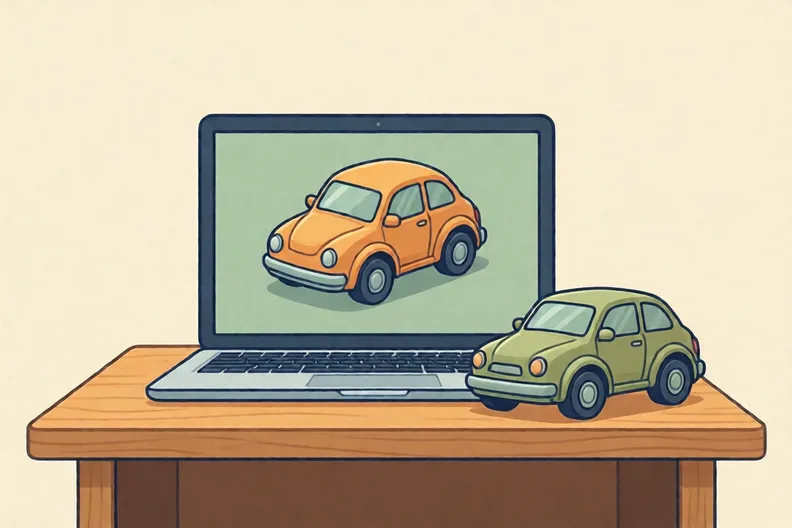
A small toy car shown on a laptop screen beside a real toy car on a table
Sam says: “Anything made on a computer is just pretend, so it can never be built for real.”
  1. 1.

    Is Sam right? Circle Right or Wrong.

    RightWrong

E Think deeper3 min

  1. 1.

    A flat drawing shows only one side of a box. Name two things a designer could check on a 3D model, from a different view, before building it.

How did it feel?

I can do it Nearly Not yet
StudyDen · Year 6 · Computing · 3D ModellingAnswers are on the grown-up page

For the grown-up

Flat or solid? · 2 minutes to read

Answers, and what a wrong one tells you

A

1. ↓ If your child circled →, the robot would hit the rock. Ask them to find the rock first, then plan a way round it.

2. Process

3. 3D If your child said 2D, ask whether the shape has depth as well as height and width. A cylinder can be picked up.

B

1. 3D If your child said 2D, ask them to turn the box. Does it have a side that sticks out towards them? That is depth.

C

1. 2D If your child circled 3D, ask: does a flat sticker need depth? It is printed flat, so a 2D design works.

2. 3D

3. 2D If your child circled 3D because the hexagon has six sides, explain that sides do not make depth. A sign printed on card is flat, so 2D works.

4. 3D

D

1. Wrong If your child circled Right, ask what happens to a model after it is checked on screen. Designers use models to test real things before they are made.

E

1. Look for: Names two checks a designer could make from another view, such as the back, the underside, how parts fit, or whether a part sticks out.

Words to use

Say“Which view would show the back of this? What could be hiding there?”
Instead of“That's right, well done. Next question.”

After the sheet

Put a tin and a cereal box on the table beside a flat drawing of each. Ask which are 2D and which are 3D, then turn the real ones round to look at their backs.

Tick what your child got right in StudyDen. Anything missed comes back in a later Look back box, so there's no need to redo the sheet.

The rest of this unit

5 more sheets come with a StudyDen plan, in teaching order:

  1. Handles and the shape inspector(with a plan)
  2. Make a name badge(with a plan)
  3. Hollow desk tidy tubes(with a plan)
  4. Planning a 3D model(with a plan)
  5. The improve loop(with a plan)

Every Year 6 computing worksheet

The worksheets plan opens a printable sheet for every lesson in Years 1 to 6, each with its answers on a separate page for you. It costs £6.99 a month or £59 a year for the whole family, with no free trial.

The full StudyDen plan adds the lessons themselves, marked as your child works, with the worksheets included. It is 7 days free, then £29.99 a month.

Both start with a free account; you choose the plan when you sign up.