← Year 5 computing worksheets

Year 5 Introduction to computer systems worksheet

“Parts that work together” is free to print, with no account. It is the first sheet in the Year 5 computing unit “Introduction to computer systems”, for children aged 9 to 10, and takes about 22 minutes.

Print it on A4. The child's pages come first; the answers, and what each wrong answer tells you, are on the grown-up page that follows. Weeks 1 to 6 of the year, 6 sheets in the unit.

Free sample · answers on the last page

Parts that work together

Name: ____________ · Date: ____________
Year 5 · Computing · about 22 minutes
Answers are on the grown-up page

Today I can explain how a system takes an input, processes it and gives an output.

A Look back3 min

  1. 1.

    A robot must take a box from one table to another. It picks up the box, does one more step, then drops it. Which step is the middle one? Circle one.

    Pick upDrop
    move the boxsleeppaint the box
  2. 2.

    Which of these is a computer? Circle one.

    Tap the screenProcessPicture shows
    a tableta wooden spoona bicycle bell
  3. 3.

    Information goes from the keyboard to ? to the screen. Which device fits the ? Circle one.

    KeyboardScreen
    computerprinterspeaker

B Watch me, then you4 min

Kit uses a toaster to make toast. Look at the three boxes, then do the next one.
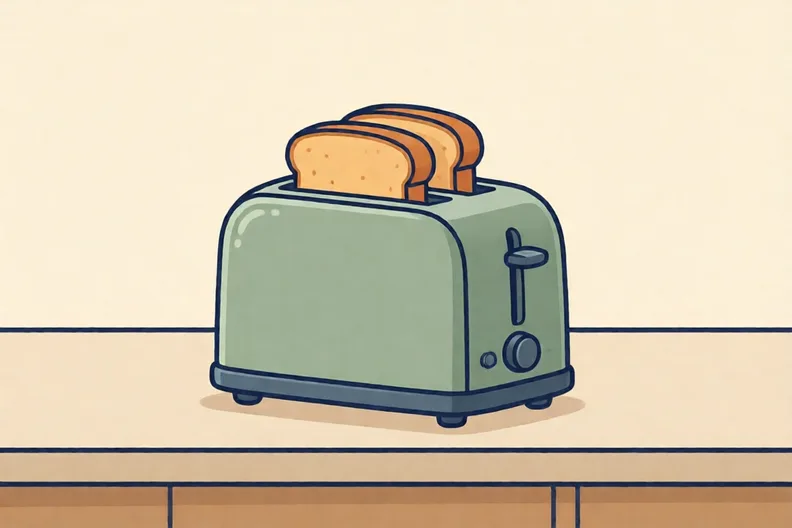
A two-slice toaster on a kitchen worktop with bread in the slots
Watch me
Press the leverBread heatsToast is ready

The input is pressing the lever.

The process is the bread heating up.

The output is the toast, ready to eat.

Now you
  1. 1.

    A doorbell rings when someone presses the button. Which one is the input? Circle one.

    Signal sentBell rings
    the button is pressedthe bell ringsthe sound is loud

C Your turn8 min

Read each one. Fill the box or sort the cards.
Traffic lights beside a quiet road crossing, with a push button on the pole
  1. 1.

    A kettle is switched on and heats water. What is the output? Circle one.

    Switch pressedWater heats
    hot waterpressing the switchthe kettle lid
  2. 2.

    The same kettle. What is the input? Circle one.

    Water heatsHot water
    hot waterpressing the switchthe kettle lid
  3. 3.

    Sort these cards for a road crossing. Input starts it. Process is the hidden work inside the control box. Output is what people see.

    someone presses the buttonthe lights change in orderthe timer counts downa green light showsa red light shows
    InputProcessOutput
  4. 4.

    Put these steps for a games console in order. Write 1, 2 or 3 in each box.

    1. The screen shows the game
    2. Press the power button
    3. The game loads

Say it out loud: Each time, which box was the input? How did you know?

D Spot the mistake3 min
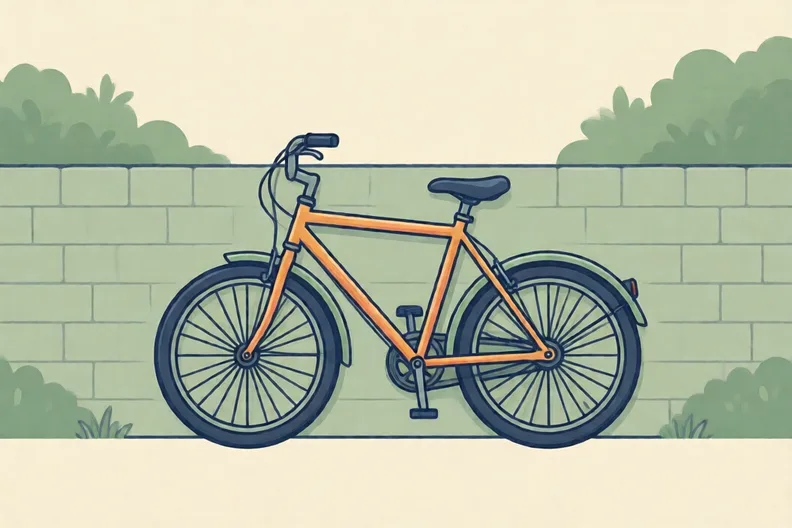
A bicycle leaning against a garden wall, with its wheels and pedals visible
Lou says: “A bicycle is just one part, so it is not a system.”
  1. 1.

    Write one sentence to tell Lou what is wrong.

E Think deeper4 min

  1. 1.

    Name one device in your home that works as a system. Write its input, process and output.

    InputProcessOutput

How did it feel?

I can do it Nearly Not yet
StudyDen · Year 5 · Computing · Introduction to computer systemsAnswers are on the grown-up page

For the grown-up

Parts that work together · 2 minutes to read

Answers, and what a wrong one tells you

A

1. move the box If they choose sleep or paint the box, the box is still by the first table. Ask what must happen to get the box to the other table.

2. a tablet

3. computer

B

1. the button is pressed If they choose the bell rings, that is the output. The input is what starts the system, so ask what happens first.

C

1. hot water If they choose pressing the switch, that is the input. The output is the thing the system makes, so ask what comes out of the kettle.

2. pressing the switch If they choose hot water, that is the output. The input is what starts the kettle, so ask what someone does first.

3. Input: someone presses the button · Output: the lights change in order, a green light shows, a red light shows · Process: the timer counts down If a light card is in Process, ask whether people can see it happen or whether it is hidden inside the control box.

4. 1 Press the power button · 2 The game loads · 3 The screen shows the game If the screen comes first, ask what must happen before a screen can show a game.

D

1. Look for: A bicycle has many parts, such as brakes, pedals and wheels, that work together as a system. If they only say no, ask which parts a bicycle has and whether those parts work together.

E

1. Look for: A named home device, with an input, a process and an output for it.

Words to use

Say“Which part starts it, and which part is the result?”
Instead of“Tell them the answer straight away.”

After the sheet

Pick a kettle or toaster at home. Say its input, process and output out loud, then draw three boxes on paper and fill them in together.

Tick what your child got right in StudyDen. Anything missed comes back in a later Look back box, so there's no need to redo the sheet.

The rest of this unit

5 more sheets come with a StudyDen plan, in teaching order:

  1. Computers and people together(with a plan)
  2. Searching the Web(with a plan)
  3. How search engines find results(with a plan)
  4. How search results are ranked(with a plan)
  5. Who Shapes Your Results(with a plan)

Every Year 5 computing worksheet

The worksheets plan opens a printable sheet for every lesson in Years 1 to 6, each with its answers on a separate page for you. It costs £6.99 a month or £59 a year for the whole family, with no free trial.

The full StudyDen plan adds the lessons themselves, marked as your child works, with the worksheets included. It is 7 days free, then £29.99 a month.

Both start with a free account; you choose the plan when you sign up.