← Year 5 computing worksheets

Year 5 Using selection in programming to develop a quiz worksheet

“Yes or no questions” is free to print, with no account. It is the first sheet in the Year 5 computing unit “Using selection in programming to develop a quiz”, for children aged 9 to 10, and takes about 20 minutes.

Print it on A4. The child's pages come first; the answers, and what each wrong answer tells you, are on the grown-up page that follows. Weeks 31 to 36 of the year, 6 sheets in the unit.

Free sample · answers on the last page

Yes or no questions

Name: ____________ · Date: ____________
Year 5 · Computing · about 20 minutes
Answers are on the grown-up page

Today I can tell a condition from a command and explain why some conditions must be checked again and again.

A Look back3 min

  1. 1.

    The robot starts on the top-left square. Write the arrows to reach the star. Use → for right.

  2. 2.

    Circle the one that is an algorithm.

    Fill kettleBoil waterPour into cup
    A picture of a keyboardA set of steps to finish a task in orderA type of mouse
  3. 3.

    The robot cannot move onto a rock. Write one route to the star without touching the rock.

B Watch me, then you4 min

Ola's cat must turn round when it reaches the edge of the screen. Read the code, then try the questions.
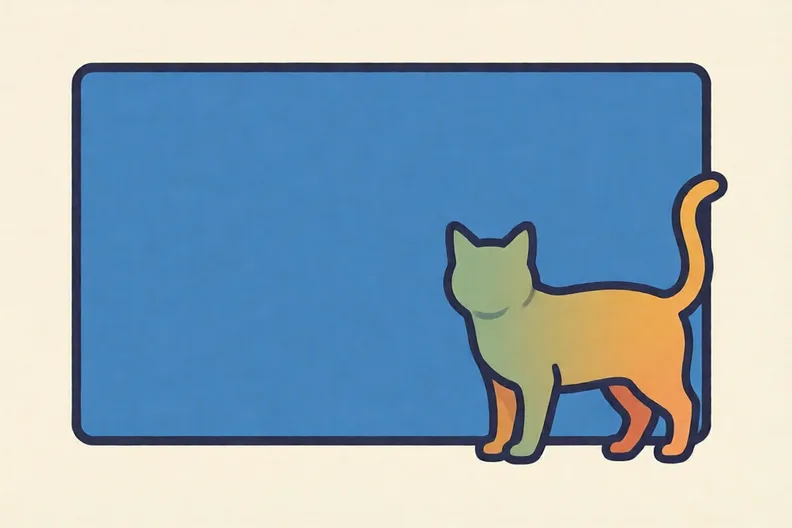
A cat sprite standing at the right side edge of a plain games screen
Watch me
foreverif touching edge?then turn round

The forever loop keeps the check running.

The condition is: is the cat touching the edge?

Yes means turn round. No means do nothing.

Now you
  1. 1.

    Circle the one that is a condition.

    if keypressed?then move10 steps
    Turn 180 degrees.Is the cat touching the edge?What is your favourite colour?

C Your turn5 min

Look at each row. Decide what is a yes or no question, and what is a command.

A plain games screen with a small car sprite and a finish flag at the far side
  1. 1.

    Circle the one that is a condition.

    Move 10 steps.Is the key pressed?What is your favourite food?
  2. 2.

    Circle the one that is a condition about a number.

    Add 1 to the score.Is the score 10 or more?Make the score bigger.
  3. 3.

    Write each card in the right column.

    Is the sprite touching the wall?Make the sprite jump.Is the score over 20?How many lives are left?
    A conditionNot a condition
  4. 4.

    A race game. Write one yes or no condition that checks if the sprite has won.

Say it out loud: What is the same about every condition you picked? What do the commands have in common?

D Spot the mistake3 min

Kit says: “This code changes colour when I press the spacebar. A forever loop is not needed, because it only needs checking once.”
if spacebarpressedthen changecolour
  1. 1.

    Is Kit right? Write one sentence to explain why.

E Think deeper4 min

  1. 1.

    Write two if/then rules for this maze, one about a rock and one about the star. Say which part is the condition.

How did it feel?

I can do it Nearly Not yet
StudyDen · Year 5 · Computing · Using selection in programming to develop a quizAnswers are on the grown-up page

For the grown-up

Yes or no questions · 2 minutes to read

Answers, and what a wrong one tells you

A

1. Look for: Three right arrows, one for each square: → → →.

2. A set of steps to finish a task in order

3. Look for: A route that avoids the rock, such as ↓ → → ↑ going under the rock and up to the star.

B

1. Is the cat touching the edge? your child may have picked the command to turn. A command makes something happen. A condition is a question that only has yes or no for an answer. Ask: can this be answered only yes or no?

C

1. Is the key pressed? If your child picked 'Move 10 steps', that is a command. If they picked the food question, it has many answers. Ask: can the sentence be answered only yes or no?

2. Is the score 10 or more? your child chose a command that changes the score. Ask: is this a question that only has yes or no for an answer?

3. A condition: Is the sprite touching the wall?, Is the score over 20? · Not a condition: Make the sprite jump., How many lives are left? your child may have put 'How many lives are left?' in the condition column. It can have many answers, not just yes or no, so it is not a condition. Ask: is the answer only yes or no?

4. Look for: A yes or no question about the sprite and the finish line, such as Is the sprite touching the finish line?

D

1. Look for: Says Kit is wrong, and that the condition is checked only once, so a forever loop is needed to keep checking. If your child says Kit is right, ask: what happens if the spacebar is pressed a minute after the program starts? Then ask what keeps the check going.

E

1. Look for: Two if/then rules: one with a yes or no condition about a rock or wall, and one with a condition about the star.

Words to use

Say“Is this a question with only yes or no for an answer? Which bit keeps checking?”
Instead of“That is right, now do the next one.”

After the sheet

At home, ask: 'Is the kettle hot?' and 'Make a cup of tea.' Ask your child which one could be a condition, then make up one more yes or no question about the kitchen.

Tick what your child got right in StudyDen. Anything missed comes back in a later Look back box, so there's no need to redo the sheet.

The rest of this unit

5 more sheets come with a StudyDen plan, in teaching order:

  1. Outcomes from selection(with a plan)
  2. Quiz questions with conditions(with a plan)
  3. Planning a quiz question(with a plan)
  4. Testing your quiz(with a plan)
  5. Quiz fair for everyone(with a plan)

Every Year 5 computing worksheet

The worksheets plan opens a printable sheet for every lesson in Years 1 to 6, each with its answers on a separate page for you. It costs £6.99 a month or £59 a year for the whole family, with no free trial.

The full StudyDen plan adds the lessons themselves, marked as your child works, with the worksheets included. It is 7 days free, then £29.99 a month.

Both start with a free account; you choose the plan when you sign up.