← Year 5 computing worksheets

Year 5 Video production worksheet

“What makes a video?” is free to print, with no account. It is the first sheet in the Year 5 computing unit “Video production”, for children aged 9 to 10, and takes about 20 minutes.

Print it on A4. The child's pages come first; the answers, and what each wrong answer tells you, are on the grown-up page that follows. Weeks 7 to 12 of the year, 6 sheets in the unit.

Free sample · answers on the last page

What makes a video?

Name: ____________ · Date: ____________
Year 5 · Computing · about 20 minutes
Answers are on the grown-up page

Today I can name the three steps used to make a video and explain why it can still change after filming.

A Look back3 min

  1. 1.

    The robot must reach the star. How many squares to the right must it move?

  2. 2.

    Number these steps for making toast, from first to last.

    FirstNextLast
    1. Spread the butter on the toast
    2. Get the bread from the bag
    3. Put the bread in the toaster
  3. 3.

    The robot is on the top row. Can it move onto the rock square? Circle one.

    YesNo

B Watch me, then you4 min

Ravi films his class plant on a tablet. Before he films, he writes a plan. Afterwards he trims the start of the clip.

Watch me
PlanRecordEdit

Plan: decide what the video is about.

Record: capture the footage on the tablet.

Edit: trim the start and add a title.

Now you
  1. 1.

    Ravi has finished recording. Which step comes next? Circle one.

    PlanRecord
    PlanningEditingRecording
  2. 2.

    Before any filming starts, which step must come first? Circle one.

    RecordEdit
    EditingPlanningRecording
Write a planFilm the plantTrim the start

C Your turn8 min

Sort, number or choose. Think about whether each card was filmed or added, and the order of the steps.
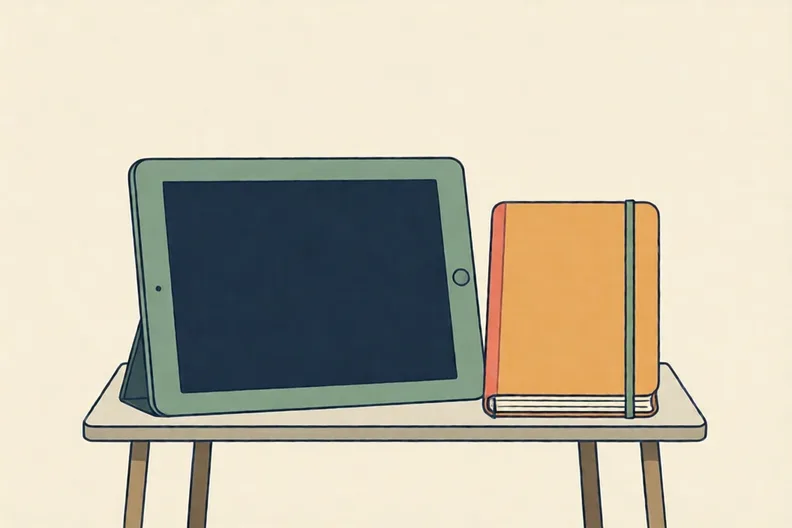
A tablet and a notebook on a table, screen dark
  1. 1.

    Put each card in the right column.

    Film of the school gardenA title at the startFilm of the bus stopMusic under the clip
    Live footageAdded features
  2. 2.

    Put each card in the right column.

    Cartoon of a beeFilm of a puddleCaption at the bottomFilm of the bus stop
    Live footageAdded features
  3. 3.

    Put these steps for making a short video in order, first to last.

    1. Trim the start of the clip
    2. Film the bus stop on a tablet
    3. Decide what the video is about
  4. 4.

    A video of a park has no words on screen. While editing, which feature would let viewers read the park's name at the start? Circle one.

    TextMusicSound effectsLive footage

Say it out loud: Which cards were filmed, and which were added when editing? How can you tell?

D Spot the mistake3 min

A tablet on a table, screen showing a row of coloured blocks
Kit says: “Once I press stop, my video is finished and I can’t change it.”
  1. 1.

    Is Kit right? Write one reason.

E Think deeper4 min

Imagine a clip of a still pond with reeds at the edge. It is quiet, with no sound and no words.

Quiet pond clip
  1. 1.

    Name two features you could add to make this clip feel calm, and say why each one helps.

How did it feel?

Think about the three steps. Which one felt easiest, and which one would you like more practice with?

I can do it Nearly Not yet
StudyDen · Year 5 · Computing · Video productionAnswers are on the grown-up page

For the grown-up

What makes a video? · 2 minutes to read

Answers, and what a wrong one tells you

A

1. 3 If your child counts the robot's own square too, the answer comes out one too high. Ask them to count the moves, not the squares.

2. 1 Get the bread from the bag · 2 Put the bread in the toaster · 3 Spread the butter on the toast If the butter goes on before the toasting, ask your child what must be ready before a step can be done.

3. No If your child says yes, remind them that the robot can never move onto a rock. It must go round it.

B

1. Editing If your child circles Recording, they have just done that step. Ask what is still left to do once the footage exists.

2. Planning

C

1. Live footage: Film of the school garden, Film of the bus stop · Added features: A title at the start, Music under the clip If your child puts a title in Live footage, ask whether a title was filmed or added afterwards.

2. Live footage: Film of a puddle, Film of the bus stop · Added features: Cartoon of a bee, Caption at the bottom

3. 1 Decide what the video is about · 2 Film the bus stop on a tablet · 3 Trim the start of the clip If trimming comes first, there is no clip to trim yet. Ask your child what must exist before a step can be done.

4. Text If your child circles Music or Sound effects, ask whether viewers would hear the name or read it. Words added on screen are text.

D

1. Look for: Says Kit is wrong and names an edit such as trimming, reordering or adding text or music. If your child only writes No, ask: which part of a video can still be changed after filming?

E

1. Look for: Two features (music, text, images or animation) each with a reason tied to how the viewer feels. If your child lists a feature with no reason, ask them how the viewer would feel when they see it.

Words to use

Say“Which step does the video need next, and can we still change it after filming?”
Instead of“That's right, well done. Just say the answer so we can move on.”

After the sheet

Film a teaspoon being stirred on a phone or tablet. Then say which step came first, which came last, and what you would trim from the start.

Tick what your child got right in StudyDen. Anything missed comes back in a later Look back box, so there's no need to redo the sheet.

The rest of this unit

5 more sheets come with a StudyDen plan, in teaching order:

  1. Choosing how to film(with a plan)
  2. Storyboards That Work(with a plan)
  3. Planning a video with a script(with a plan)
  4. Trim, slice or reshoot?(with a plan)
  5. Editing choices matter(with a plan)

Every Year 5 computing worksheet

The worksheets plan opens a printable sheet for every lesson in Years 1 to 6, each with its answers on a separate page for you. It costs £6.99 a month or £59 a year for the whole family, with no free trial.

The full StudyDen plan adds the lessons themselves, marked as your child works, with the worksheets included. It is 7 days free, then £29.99 a month.

Both start with a free account; you choose the plan when you sign up.